
Product and ecommerce
Enlarge product photos for a bigger listing or catalog. Compare labels, colors and the outline with the source before publishing.
Try AI Image UpscalerLoading…
Upload one JPG, PNG or WebP up to 10 MB. Choose 2K, 4K or 8K, review the quote and download an enhanced PNG at the displayed dimensions.
Upload one JPG, PNG or WebP up to 10 MB. Choose 2K, 4K or 8K, review the quote and download an enhanced PNG at the displayed dimensions.
Enlarge product photos for a bigger listing or catalog. Compare labels, colors and the outline with the source before publishing.
Try AI Image Upscaler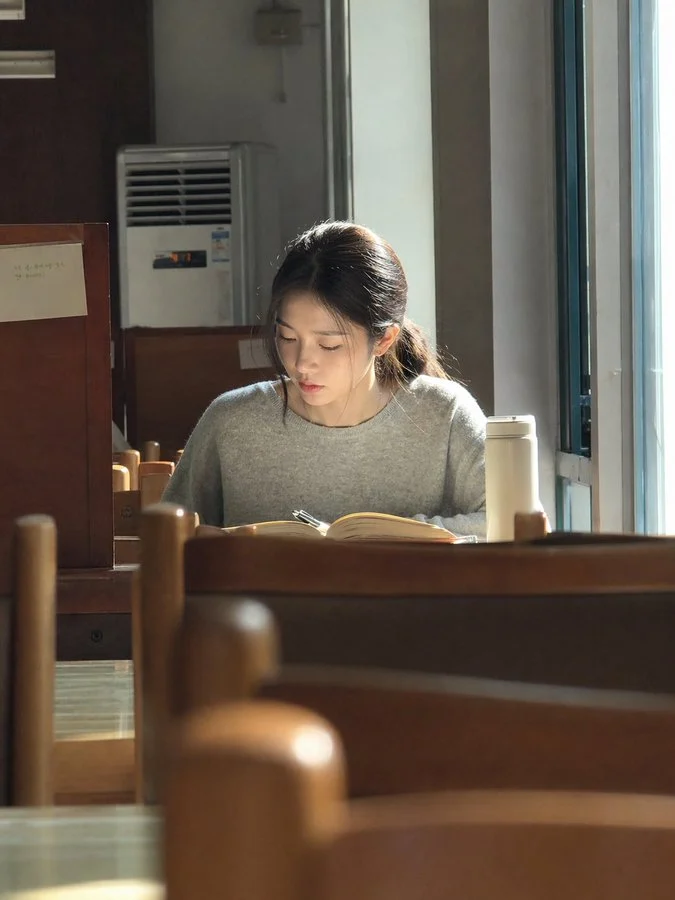
Prepare portraits for larger layouts. Inspect eyes, hair and skin at full size; reconstructed details can change a person’s appearance.
Try AI Image Upscaler
Give illustrations and graphics more room in a design. Check small lettering, straight lines and borders after processing.
Try AI Image UpscalerTry enlarging an older or compressed photo. Keep the original and compare textures; enhancement cannot establish what the camera did not record.
Try AI Image Upscaler
Choose the dimensions needed for your website or presentation. Preserve the aspect ratio and use the displayed pixel size to judge the result.
Try AI Image UpscalerSign in to upload an image you own or are allowed to edit. Select a file, drop it into the workspace, or try a sample.
Upload one JPG, PNG or WebP up to 10 MB. Choose 2K, 4K or 8K, review the quote and download an enhanced PNG at the displayed dimensions.
Check fine details at full size. Enhancement does not guarantee recovery of missing detail.
Choose the longest edge: 2K (2048 px), 4K (4096 px) or 8K (8192 px). The aspect ratio is preserved. Enlargement is limited to 8×.
| What You Can Create | Review and download |
|---|---|
| Product and ecommerce | Enlarge product photos for a bigger listing or catalog. Compare labels, colors and the outline with the source before publishing. |
| Portraits and headshots | Prepare portraits for larger layouts. Inspect eyes, hair and skin at full size; reconstructed details can change a person’s appearance. |
| Diagrams and interfaces | Give illustrations and graphics more room in a design. Check small lettering, straight lines and borders after processing. |
| Old Photo Restore | Try enlarging an older or compressed photo. Keep the original and compare textures; enhancement cannot establish what the camera did not record. |
| Hero inspiration | Choose the dimensions needed for your website or presentation. Preserve the aspect ratio and use the displayed pixel size to judge the result. |
Enlarge product photos for a bigger listing or catalog. Compare labels, colors and the outline with the source before publishing.
Prepare portraits for larger layouts. Inspect eyes, hair and skin at full size; reconstructed details can change a person’s appearance.
Give illustrations and graphics more room in a design. Check small lettering, straight lines and borders after processing.
Try enlarging an older or compressed photo. Keep the original and compare textures; enhancement cannot establish what the camera did not record.
Choose the dimensions needed for your website or presentation. Preserve the aspect ratio and use the displayed pixel size to judge the result.
Choose the dimensions needed for your website or presentation. Preserve the aspect ratio and use the displayed pixel size to judge the result.
Upload one JPG, PNG or WebP up to 10 MB. Choose 2K, 4K or 8K, review the quote and download an enhanced PNG at the displayed dimensions.
Upscale store thumbnails for hero sections. / Improve social images before reuse. / Prepare draft AI images for larger layouts.
Check fine details at full size. Enhancement does not guarantee recovery of missing detail.
Choose the longest edge: 2K (2048 px), 4K (4096 px) or 8K (8192 px). The aspect ratio is preserved. Enlargement is limited to 8×.
1 free use per UTC day, shared between background removal and 2K upscaling. Sign in with a verified email to use the allowance. Further uses cost credits. Get a quote after adding your image and settings. Review the displayed credits, then choose Confirm and generate. A new generation requires its own quote and confirmation.
Sign in before uploading a reference image or running image analysis. If you select a file as a visitor, its name can be kept for reselection after sign-in; the file is not uploaded automatically.
Use JPG, PNG or WEBP images. The uploader checks file type, size and the current image-count limit before sending files. Any failed check is shown in the workspace.
Illustrations show possible creative directions, not guaranteed outputs. Inspect identity, text, motion and other important details in your actual result before use.
Examples illustrate creative directions. Results vary with the model, prompt and source images; inspect your own output before use.
The labeled scene illustrations show possible directions; they are not actual outputs from the tool. Your uploaded reference and task results are displayed separately. Check the output before using it.
Return to the workspace above. Add your image, choose your settings and review the quote before generating.
Try AI Image UpscalerGet a quote before generating.
Loading…