
1
Explore a subject in new settings
Use a portrait or product reference to try different surroundings, colors and lighting; compare the details across results.
Create with FLUX 3 Image Klein at 1K / 2K / 4K. Start from a written idea or use up to 10 reference images to guide the composition and details.
Start creatingLoading…
Reference-site example; not a verified result generated on Kitta AI.
Text to image / Image edit · Reference images: 10
1K / 2K / 4K
Create with FLUX 3 Image Klein at 1K / 2K / 4K. Start from a written idea or use up to 10 reference images to guide the composition and details.
Specify the subject, composition, lighting and details to preserve. Use clear instructions for each change.
Text to image / Image edit · Reference images: 10
The price updates for your selected model, settings and output count. Review it, then choose Create. Failed paid outputs follow the applicable refund rules.
Public posts about this model. These are external examples, not reviews of Kitta AI.
FLUX 3 Image Klein is here. Open Weights with the quality of a large frontier model. Customizable and…
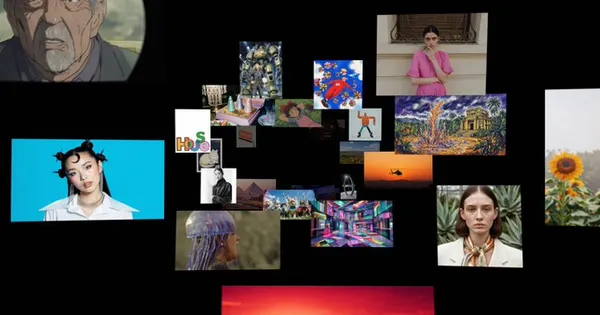
I spent two days pushing FLUX 3 Klein to its limits, trying to defeat its infamous wax faces.…
nano banana pro is a 3x tax for nothing we ran 200 real edits through 8 image models.…
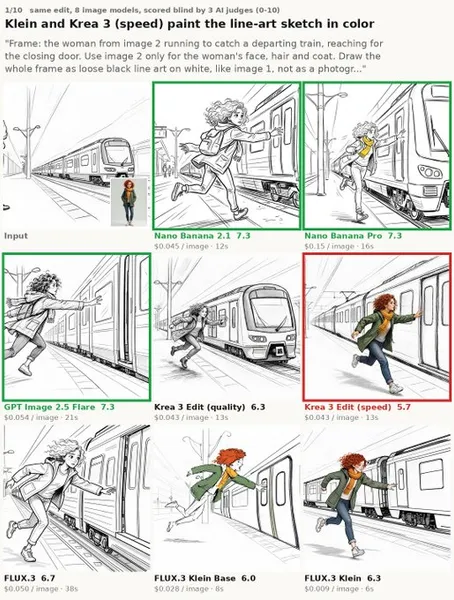
FLUX 3 KLEINNNNNN IS SO BACK 🔥 Major, major, major improvements... i cant stress this enough. Go redownload…

FLUX.3 Image Klein 6B just dropped on @huggingface 🔥 Base and distilled (16 steps), multi-reference editing, JSON bounding-box…

Text to image / Image edit · Reference images: 10
1K / 2K / 4K
The price updates for your selected model, settings and output count. Review it, then choose Create. Failed paid outputs follow the applicable refund rules.
Examples illustrate creative directions. Results vary with the model, prompt and source images; inspect your own output before use.
Reference uploads and cloud sessions require sign-in. The workspace shows the available actions for your account. A selected visitor file is not uploaded automatically after sign-in.
Specify the subject, composition, lighting and details to preserve. Use clear instructions for each change.
Use images you have permission to use. Keep their order intentional and describe how each should influence the result.
Review the first result, adjust your instructions and create another version when needed.
Create with FLUX 3 Image Klein at 1K / 2K / 4K. Start from a written idea or use up to 10 reference images to guide the composition and details.
Start creating