
1
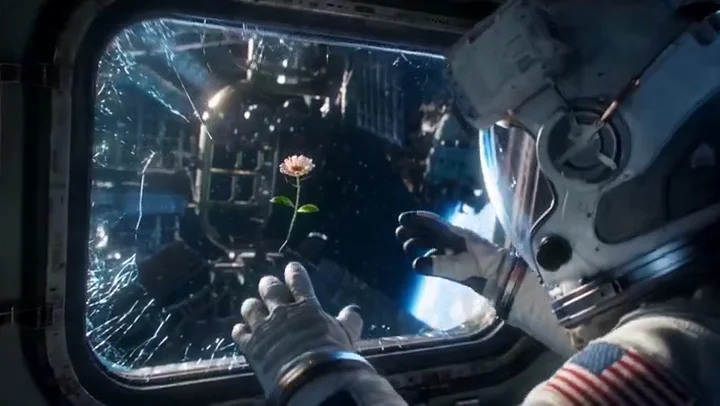
Stage a cinematic scene
Specify the setting, light and framing for an establishing shot or product reveal using the available video settings.
Create with Wan 3.0 at 480P / 720P / 1080P · 2–30 seconds. Choose a supported input mode below and describe the subject, action and camera movement.
Start creatingReference-site example; not a verified result generated on Kitta AI.
Text to Video / First frame / First / last frames / Reference images · Reference images: 10
480P / 720P / 1080P · 2–30 seconds
Create with Wan 3.0 at 480P / 720P / 1080P · 2–30 seconds. Choose a supported input mode below and describe the subject, action and camera movement.
Specify the setting, light and framing for an establishing shot or product reveal using the available video settings.

Try a revised prompt for a different pace or mood, then compare completed clips before choosing one.
Use up to 10 reference images to communicate the subject and look; review appearance throughout the clip.
Ask for a slow push, tracking movement or change in viewpoint to support the action in your scene.
Describe how a person, object or environment should move, then check interactions and continuity in playback.
Describe dialogue, ambience or effects when using supported audio options, and listen to the generated track.
Specify the subject, composition, lighting and details to preserve. Use clear instructions for each change.
Text to Video / First frame / First / last frames / Reference images · Reference images: 10
The price updates for your selected model, settings and output count. Review it, then choose Create. Failed paid outputs follow the applicable refund rules.
Text to Video / First frame / First / last frames / Reference images · Reference images: 10
480P / 720P / 1080P · 2–30 seconds
The price updates for your selected model, settings and output count. Review it, then choose Create. Failed paid outputs follow the applicable refund rules.
Examples illustrate creative directions. Results vary with the model, prompt and source images; inspect your own output before use.
Reference uploads and cloud sessions require sign-in. The workspace shows the available actions for your account. A selected visitor file is not uploaded automatically after sign-in.
Specify the subject, composition, lighting and details to preserve. Use clear instructions for each change.
Create with Wan 3.0 at 480P / 720P / 1080P · 2–30 seconds. Choose a supported input mode below and describe the subject, action and camera movement.
Start creating